Restaurants are continually updating technology to keep up with consumer demand. Think about it: Wi-Fi, tabletop kiosks, online ordering—these features all help attract more diners and enhance the guest experience. A kitchen display system (KDS) might be in the background, but it’s a powerful tool that can transform how your restaurant operates.
What is a Kitchen Display System?
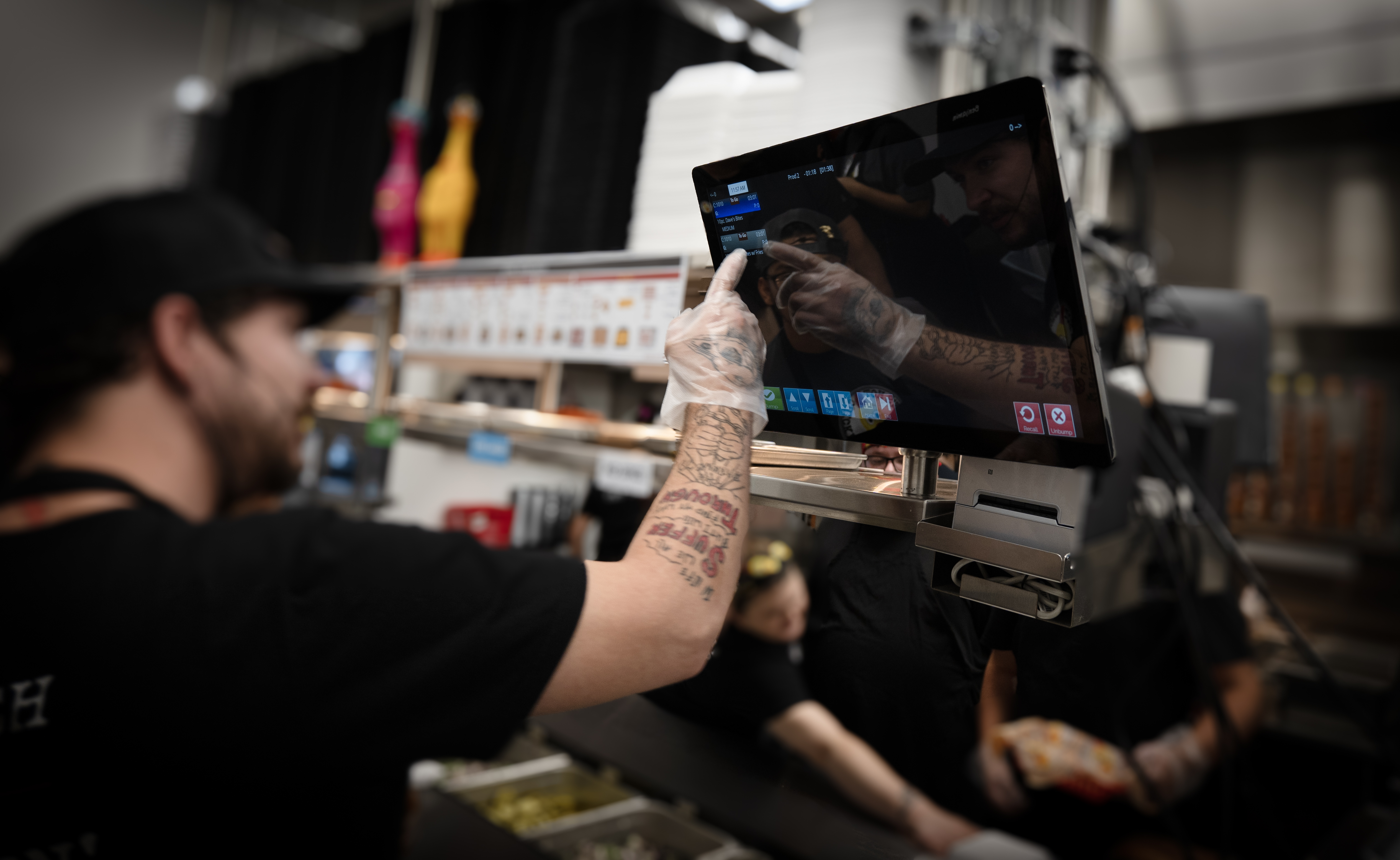
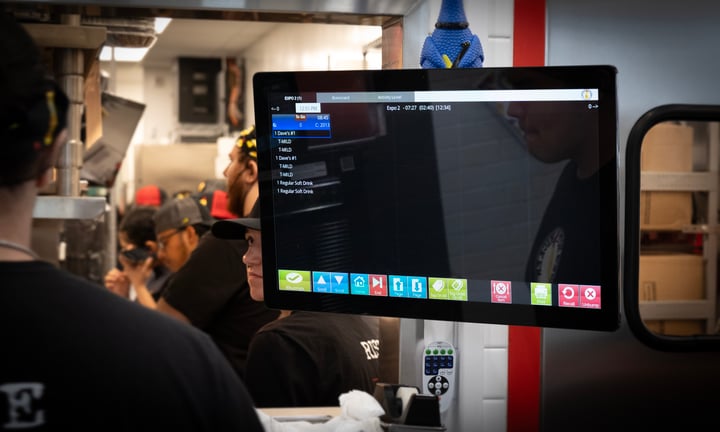
A kitchen display system is a digital order viewer that replaces your paper tickets and kitchen printers (and so much more). Beyond showing orders, a KDS manages how food is routed through the kitchen, supports recipe preparation, and monitors real-time kitchen data.
The Kitchen Display System Market
There are many types of kitchen display systems, each offering different capabilities. The truth is that not all kitchen display systems are created equal. There are advantages to certain kitchen display systems, all depending on the functionality. In fact, some kitchen display systems serve as a proprietary appendage to a point-of-sale system. This generally means that the kitchen display system doesn’t take in kitchen data or integrate with other restaurant stations, but communicates directly with the POS.
But remember, a POS and KDS aren’t the same. A more advanced KDS would integrate with the kitchen to gather accurate data and provide up-to-the-minute order statuses for guests. To select the best KDS, it’s important to know the essential core features and how they’ll benefit your restaurant.
Benefits of a Kitchen Display System
A sound kitchen display system improves efficiency in the kitchen effortlessly – and automatically. Top systems offer advantages like:
Meal Coursing
With meal coursing (or pacing), staff can group menu items to route to the kitchen as a bundled course. In many restaurants, the server is responsible for either going to the POS to ring in each course as needed or to input items for an entire order. If the server takes the latter option, they may also need to remember to go back and manually fire off the next course in the meal without the right tech. With meal coursing, if a table sits down and orders, the server can submit their orders simultaneously, allowing them to focus solely on the guest and their immediate needs. Likewise, in the kitchen, drinks, appetizers, and entrees are paced according to the configured time, based on cook times, ensuring every item gets to the expo window simultaneously.
Delayed Routing and Meal Pacing
Delayed routing makes sure that all dishes arrive at the table at the same time. For example, if a two-top orders a grilled salmon fillet with a cook time of 12 minutes and a well-done steak with a cook time of 20 minutes, the items will need to go on the grill at different times to ensure that they are hot when they reach the diners. You can delay items with shorter cook times to ensure everything is fresh when they go to the customer.
Kitchen display systems with delayed routing and meal pacing can help you reduce customer frustration, kitchen chaos, and leave your guests happy with their meals.
Cook Times
A KDS will ensure that food is fresh and at the right temperature when it arrives to the customer. In addition, the software manages these ranges to balance food items with shorter and longer cook times.
Basic Routing to Specific Stations
The KDS will route food to the appropriate kitchen station: grill, pantry, fryer, etc. Routing makes sure that food items move in the right direction. An excellent kitchen display system does all of the above and:
-
Adds advanced customizations to support complex menus
-
Uses routing modifiers or child items to separate views
-
Manages station-specific priorities
-
Balances workloads across large kitchens
-
Supports bin-level tracking for configured items
-
Improves product efficiencies
-
Reduces restaurant food waste
-
Provides real-time communication with servers on item status
Capacity Management
A robust KDS will help manage your capacity by measuring how effectively your restaurant can deliver orders. Capacity management considers factors like in-house and off-premise dining orders to prevent mix-ups that lead to long waits and frustrated customers. When your capacity fluctuates, so will your wait times. This dynamic feature creates a smart kitchen and satisfied guests.
Features of a Kitchen Display System
Above, we’ve listed the benefits of a kitchen display system. Getting into the details, let’s look at how a KDS does it by starting with view types. A kitchen display system like Crunchtime Kitchen has several views to fit the needs of the restaurants. You can use order views, item views, prep views, and order-ready views for different situations.
Order Views
Order views allow you to see the upcoming orders in a fixed or flex grid. Quick service and fast-casual restaurants may use grid views, while table-service restaurants may use order views at the end of the prep line or in the server area where orders come together for delivery to the guest.
Item Views
Item views show individual items in a line item or flex item option with item views. For example, someone might use this view in a table service restaurant where items are coming in rapidly, and efficiently routing them to specific preparation stations is critical.
AccuPrep
This view type is used in a sit-down establishment to support table service plating times.
Order Ready
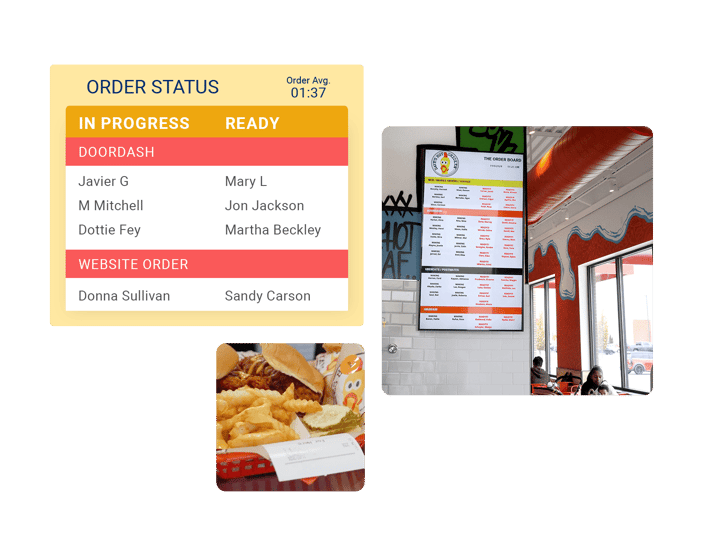
This view type is customer-facing and shows diners where their orders are in the kitchen, whether they’re complete or in progress. In addition, order-ready screens can ease guest tension over wait times by giving them real-time metrics.
What a Kitchen Display System Can Do for Your Restaurant
As you can see, kitchen display systems do more than reduce the need for paper in a restaurant, though that alone is a great benefit of a KDS! Every restaurant is unique, which is why a high-quality KDS should adapt to different restaurant needs. You might be tempted to consider A KDS as a solution for a larger restaurant, but you can implement measurable benefits in any size establishment.
Whether you’re looking to decrease ticket times, increase customer satisfaction, update your existing kitchen hardware and software, or promote efficiencies in the kitchen, a KDS may be the right solution for you. Investing in kitchen automation for your restaurant will not only help your staff, but your customers will also leave happy and satisfied.
This article was originally published on June 26, 2017 and updated on March 31, 2026.