.png)

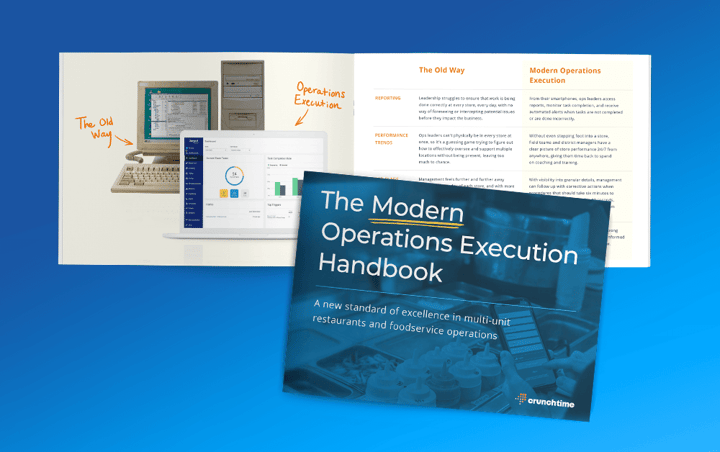
5 Operational Forms You Should Be Using in Your Restaurant
Use these top ideas for forms with lists of sample form fields you should include to improve execution on daily tasks in your restaurants.
Read more
Every shift is filled with decisions that impact costs, service, and profitability. That's why this month's product updates are designed to help managers make smarter decisions in the moment. From proactively identifying labor cost variances to improving visibility across daily operations, these enhancements provide the insights and guidance teams need to stay one step ahead. The result is less time digging through data and switching between systems, and more time focused on delivering great guest experiences and running a profitable restaurant operation.
This month, we launched new features to help you:
Inventory
New Recommended Actions: Built-in alerts automatically flag dramatic price changes with your vendors, helping managers quickly spot discrepancies and take action before they impact costs. Learn how Recommended Actions work here.
Edit Location Products from Corporate: Corporate administrators can now update location-level products directly from the corporate view in Enterprise Manager, eliminating the need to switch between locations.
Learn more about the new Inventory features and enhancements here.
Labor
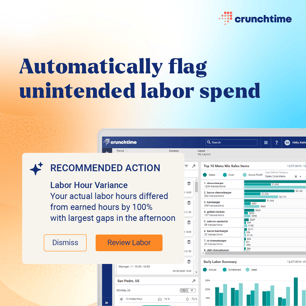
New Recommended Actions: Built-in alerts help managers stay ahead of staffing issues by highlighting labor hour variances, unscheduled active employees, and patterns with employees who frequently decline or swap shifts. Learn how Recommended Actions work here.
Enhancements to Staffing Level Templates: Staffing Level Templates are now more flexible and easy to configure with the ability to add new demand ranges anywhere within an existing template without rebuilding from scratch. To prevent gaps or overlaps, adjacent range bounds now auto-adjust (or prompt for adjustment).
Learn more about the new Labor features and enhancements here.
Kitchen & Host
Recommended Table Indicator: Crunchtime Host now shows table suggestions directly on the waitlist screen for each party, so hosts can immediately determine available seating options and assign tables faster. Learn more here.
Ops Execution
Follow-up Actions Have Expanded to Completed Tasks: You can now create follow-up actions from any completed task. This makes it easy to quickly assign, track, and resolve issues as they arise. Learn more about how to use follow-up actions.
Show Me How Learning Center: Need help building forms, updating your hierarchy, or completing common tasks in Ops Execution? Starting June 30, you can access step-by-step guidance directly in the product through our new learning center, Show Me How. To access it, go to Help > Show Me How.
Learn more about the new Ops Execution features and enhancements here.
Insights
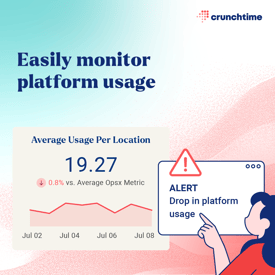
Track Usage Metrics for Ops Execution: Easily monitor how all of your stores are adopting and using the Ops Execution platform and identify teams that may need additional coaching or support. The new metrics include measurements around tasks, submissions, images, failures, questions, closed tasks, and projects. Learn more here.
As always, we're committed to delivering new capabilities in the Crunchtime Suite that help restaurant teams work smarter, make better decisions, and operate more efficiently. Stay tuned for more product updates next month.
To learn more about the Crunchtime Suite, fill out this form.