


- Home
- Crunchtime Blog
- What’s New in the Crunchtime Suite: November 2026
What’s New in the Crunchtime Suite: November 2026
As the holiday season ramps up, accurate data and efficient execution matter more than ever. This month, our updates to the Crunchtime suite focus on keeping tasks up to date, monitoring food costs, and making it easier to understand and act on your data.
Want to get a closer look at any of these features? Just fill out this form for more information.
Build forms with AI and pause tasks with ease
- Temporary Closures: Holidays, weather disruptions, and other closures no longer have to skew your task completion rates. Enter a closure once, for a few hours, a day, or multiple days, and apply it to all locations, specific locations, or locations by attribute.
- Build forms with AI: Stop recreating paper forms by hand. Upload a PDF or spreadsheet, or simply describe the form you need. AI builds an editable form for you fast. See the feature tour.
- Delete announcements you’ve already seen: Make sure your feed shows only what matters. Delete individual notifications or clear your list in one swipe. Plus, keep what matters top of mind with a new “Show unread” toggle.
- Export forms to Excel or PDF: It’s now easier to review and edit forms and send forms out for translation. Export any form to your preferred file type and get it emailed right to you.
Learn more about these features here.
Get instant answers about your inventory
-
Inventory Assistant (Early Access): Wondering what inventory you have on hand, what was adjusted, or what a product is? Just ask this AI-powered chatbot questions in plain language and get answers fast. No digging through reports or analyzing data.
Current Inventory customers: Want to join the Early Access program? Reach out to your CSM. Space is limited.
Accurately track labor for overnight shifts
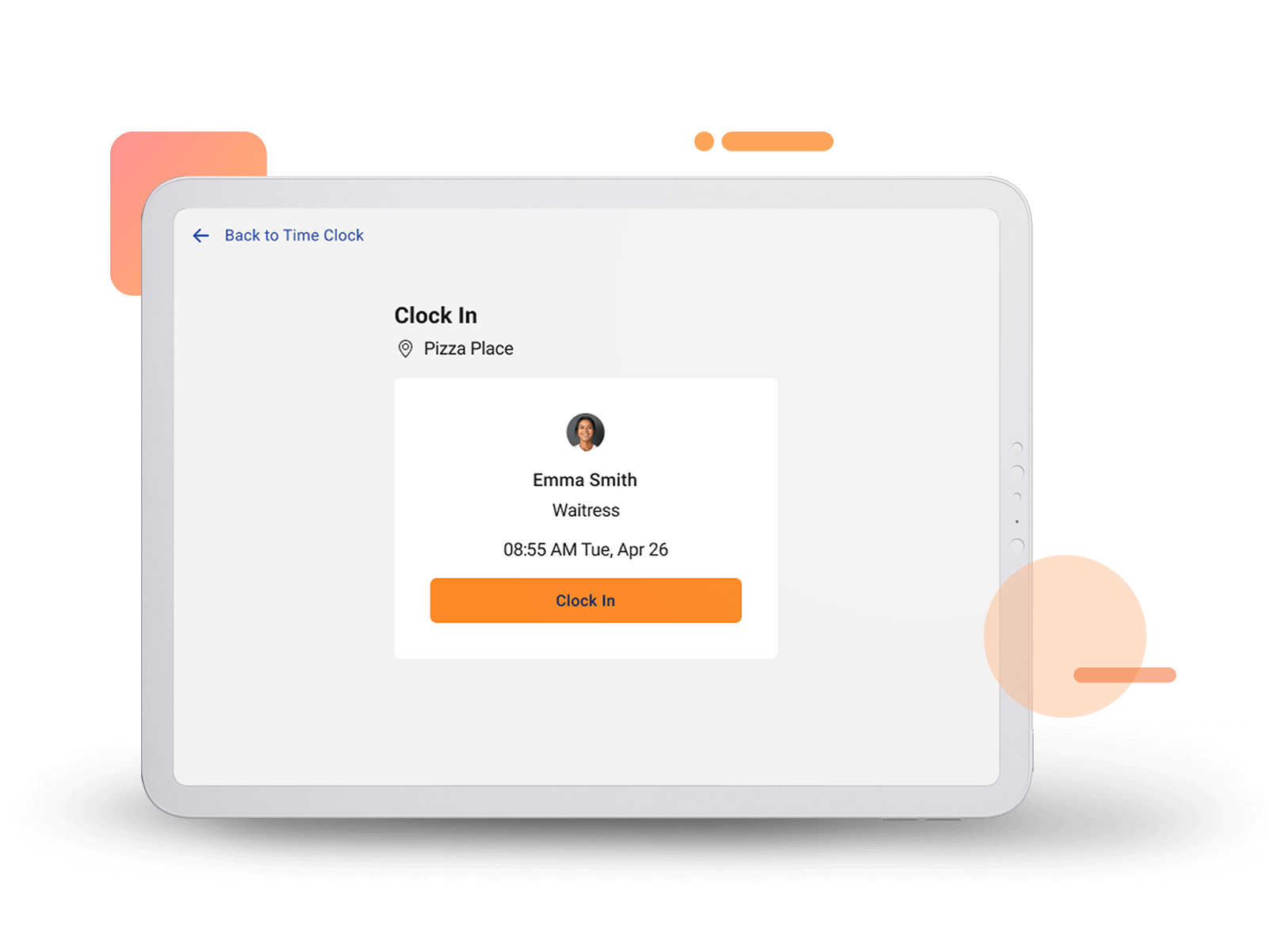
- Time Clock end of day: Teamworx Time Clock can now automatically clock team members out and back in at your "Business Day Begins At" time, so hours are attributed to the correct labor date at 24-hour and overnight locations. No manual punches needed, and team members on an unpaid break stay on break after the switch.

Learn more about this feature here.
Your command center, now catching more unexpected costs
-
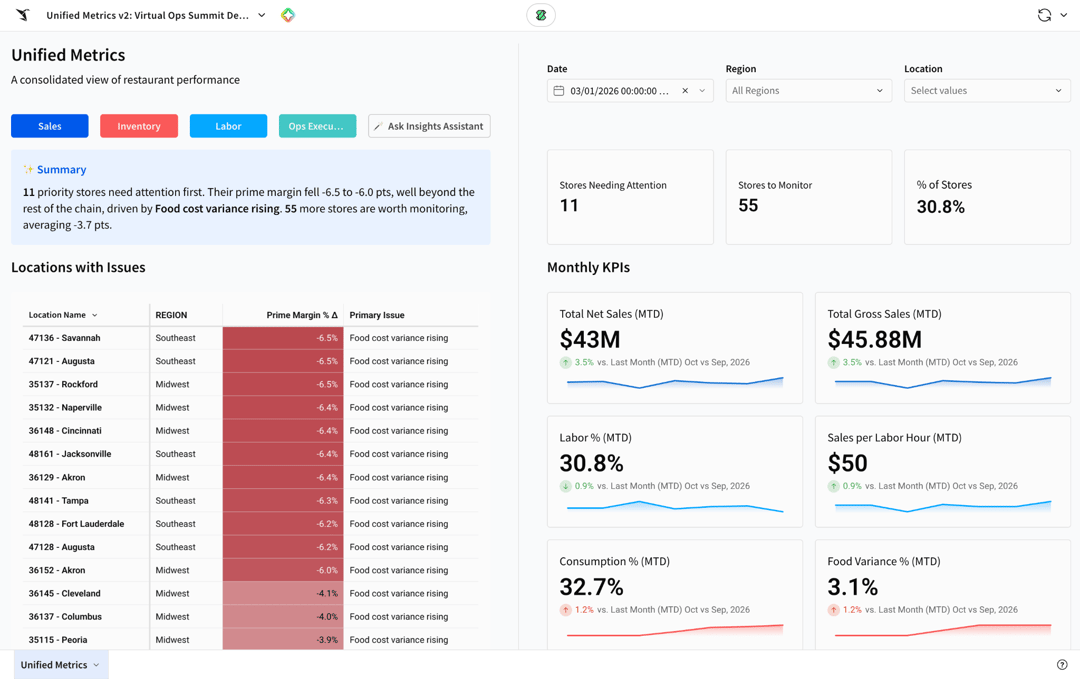
Unified Metrics upgrades: Stop digging through reports to figure out where to focus. We’ve upgraded Unified Metrics to include even more of the critical KPIs you track, and Insights shows you which stores need your attention so you can act right away. It’s your command center for running the business.
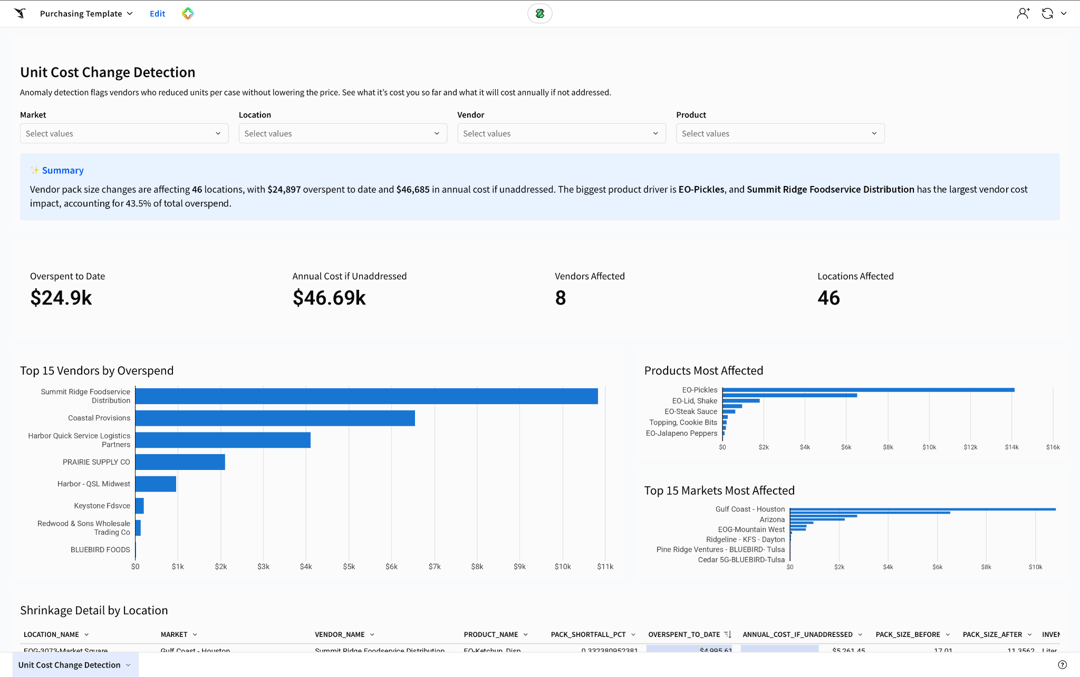
- Unit Cost Change Detection: Some cost increases never show up as a price change. If a vendor drops a case from 40 lb to 34 lb at the same price, you’re paying more per pound, and nothing tells you. Insights now catches these changes and shows the item, vendor, effective date, affected locations, and cost impact, with the invoices behind each one so you can verify it and take it to your vendor. Then, ask follow-up questions and dig deeper with Insights Assistant.

Find more information about this feature here.
Automate station maintenance and simplify device installation
-
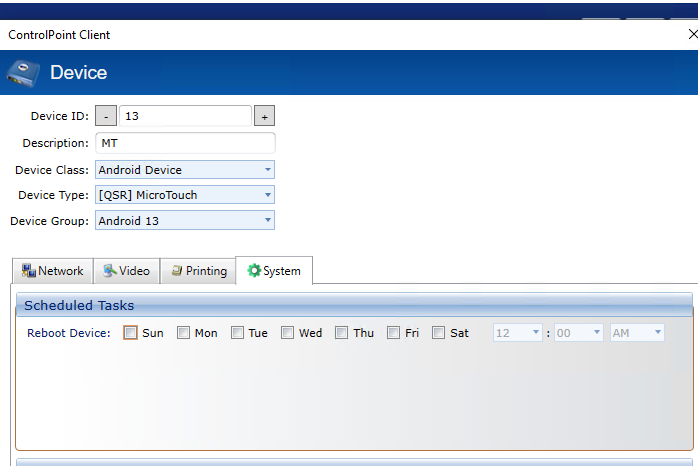
Scheduled reboots: Control Point administrators can now schedule stations to reboot automatically, so devices get the weekly restart we recommend, and they are freshly restarted and ready before your team arrives. This also keeps Android devices mounted out of reach from going to sleep after days without direct input.
-
PrepAgent: IT teams can now run PrepAgent, a small program, on the store computer before installing Hub.Agent to confirm the computer is ready and can reach the internet addresses Hub.Agent needs. PrepAgent writes a report of what it finds and changes nothing on the computer, so firewall and computer issues surface before installation instead of after.

Learn more about these features here.
To learn more about the Crunchtime Suite, fill out this form
Share this post
Related
What’s New in the Crunchtime Suite: October 2026