- Home
- Crunchtime Blog
- What’s New in the Crunchtime Suite: October 2026
What’s New in the Crunchtime Suite: October 2026
Better restaurant operations start with knowing what's happening across your business and having the tools to do something about it. From capturing food waste as it happens and spotting labor variances to evaluating forecasting accuracy and following up on execution issues, this month's Crunchtime updates help teams turn everyday operational data into clearer insights and more informed decisions.
Keep reading to see what we launched in October.
Want to get a closer look at any of these features? Just fill out this form for more information.
Capture waste on the KDS with a new Inventory connection
-
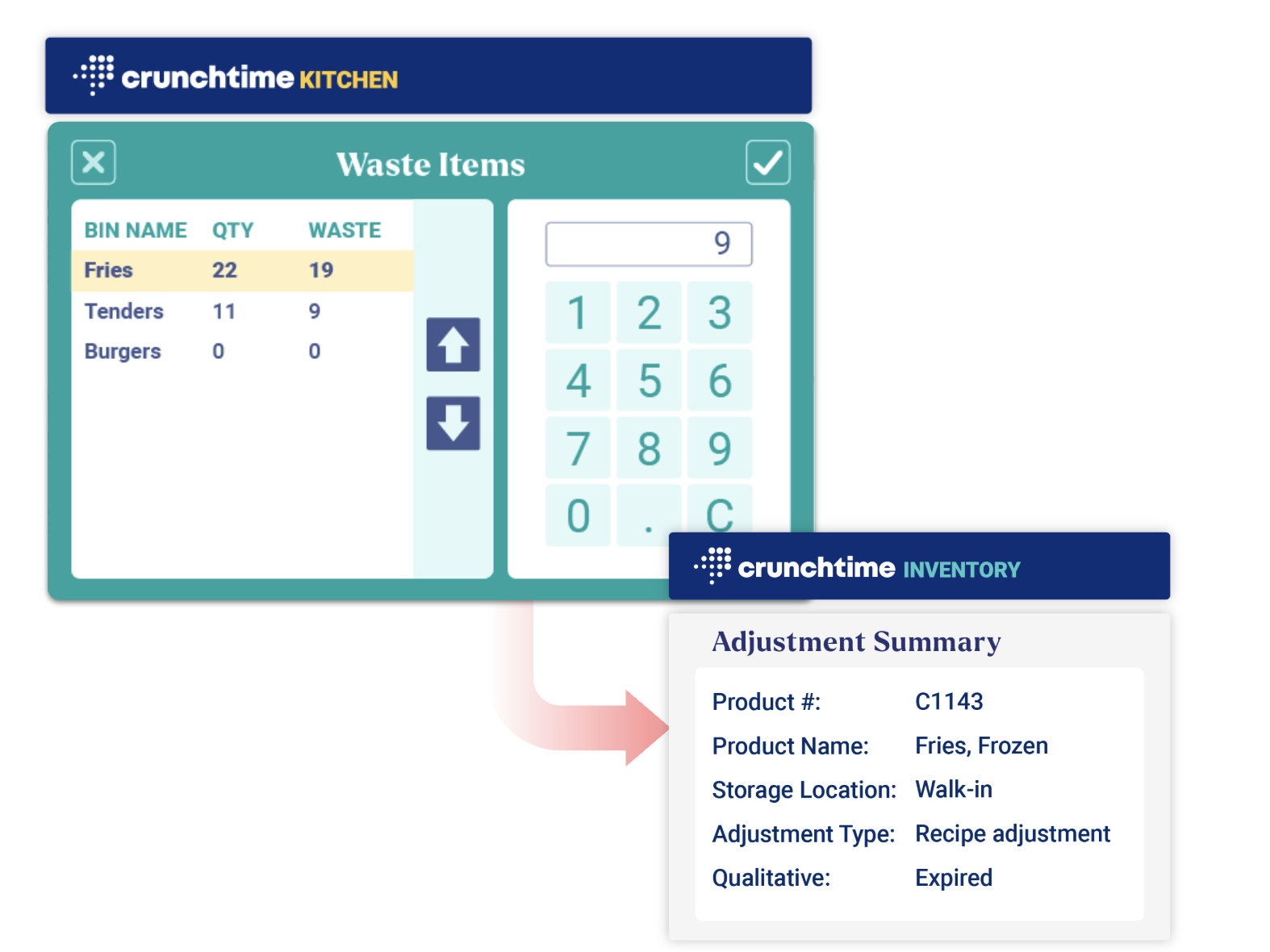
Kitchen - Inventory connection: Get a clearer view of why food is being lost by recording waste directly on the kitchen display as it happens, with the reason behind it, and the data flows automatically into Crunchtime Inventory.

Learn more about these features and how to access them here.
See where your labor dollars are leaking
- Attendance report: Get one view of where actual punches differ from the schedule, including call-outs, unscheduled shifts, early clock-ins, and late clock-outs. A configurable variance threshold (5 minutes by default) keeps the report focused on real coaching opportunities instead of noise, so you can stop comparing schedules to timecards shift by shift.
- Holiday overtime separated in payroll exports: Holiday, daily, and weekly overtime no longer land in a single "Overtime" bucket. With holiday OT in separate columns, managers can spot avoidable overtime on regular shifts, and payroll administrators can map statutory holiday pay to the right earning codes in processors like ADP and Ceridian.
.png?width=500&height=305&name=Attendance%20Report%20(Default).png)
Learn more about these features and how to access them here.
Get more insight into execution, performance, and forecasting accuracy
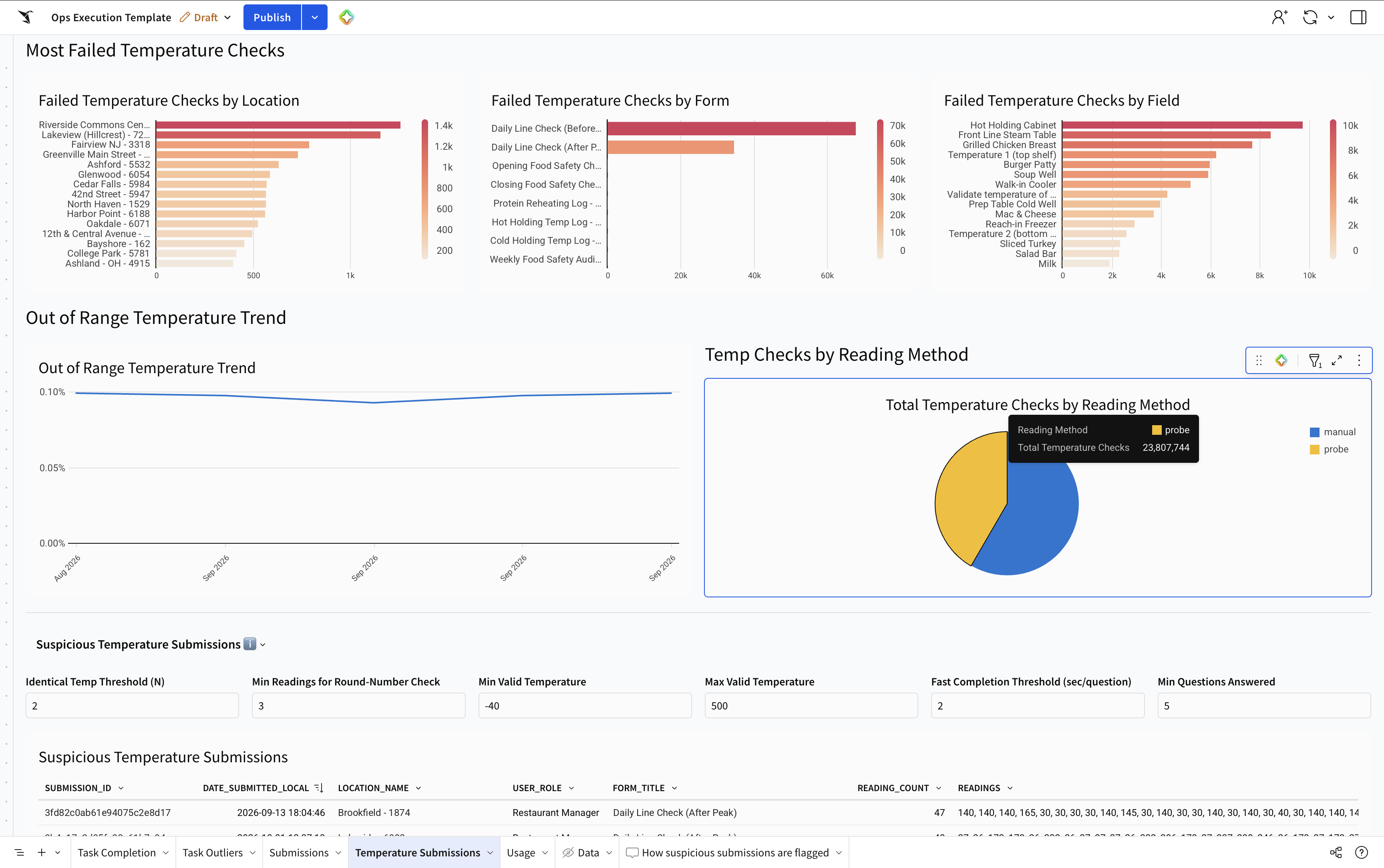
- Submission quality added to Ops Execution template: Get more information on the most frequently failed forms, fields, and field types, and how failures trend week over week, as well as identify out-of-range temperature readings and check the rates over time by location, form, and field.
- Crunchtime Excellence Score: The score your Customer Success team shares in business reviews is now available directly in Insights. Review your total score for Sales and Forecasting, Inventory, and Purchasing, as well as the measures behind it, why each one matters, and a 12-month trend. Learn more.
- Sales Forecasting Performance template: See which forecasting method is most accurate for your brand, broken down by hierarchy, franchisee, and location. Compare the forecast you actually used with the method that would have performed best, so you can choose your forecast method with data.

Find more information about these features here.
Review completed submissions and photos faster
-
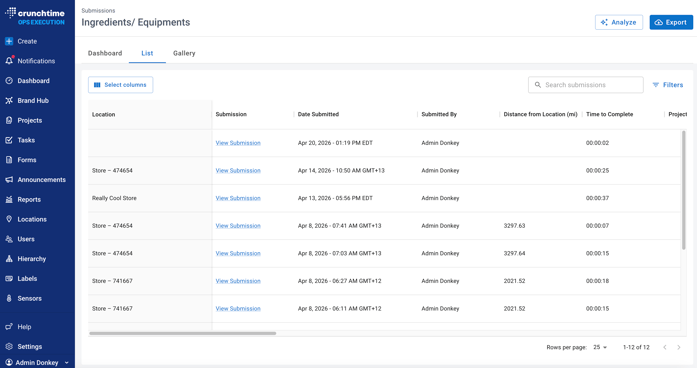
Redesigned submission page experience: Spot signs of pencil-whipping and add a follow-up action to a flagged photo in a couple of taps so issues get fixed, not just found. Review submissions with details like completion time and distance from the store, then use the new gallery view to find blurry and dark photos automatically.

Learn more about these features here.
To learn more about the Crunchtime Suite, fill out this form
Share this post
Related
What’s New in the Crunchtime Suite: September 2026