- Home
- Crunchtime Blog
- What’s New in the Crunchtime Suite: September 2026
What’s New in the Crunchtime Suite: September 2026
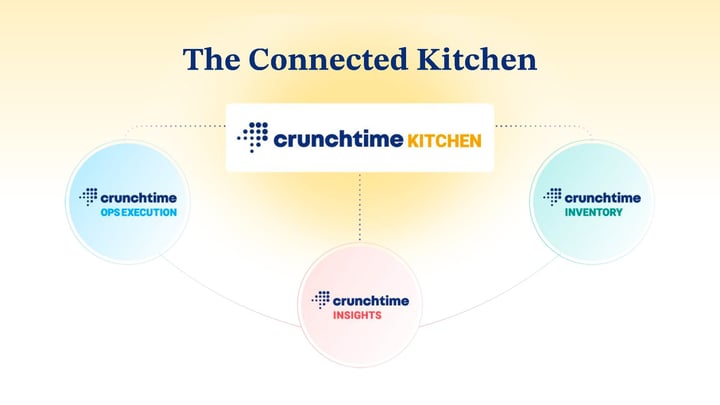
This month we hit a milestone we've been building toward for a while: Crunchtime Kitchen is now formally connected to both Ops Execution, Inventory and Insights, turning products that used to live separately into one operating suite. Alongside that, Labor took a real step forward on compliance automation, and forecasting got smarter about the local moments that actually move your business.
Here's what shipped in September:
Want to get a closer look at any of these features? Just fill out this form for more information.
One suite, now fully connected
-
Crunchtime Kitchen ↔ Ops Execution Connection: Back-of-house teams can see and complete key operational tasks, like temperature checks, prep reminders, and cleaning routines, without leaving the line. Tasks surface directly on the kitchen display system, and completion status flows back into Crunchtime Ops Execution automatically, so managers keep full visibility without anyone needing to switch devices.
-
Crunchtime Kitchen ↔ Inventory Connection: Coming soon in Q4, crews will be able to log waste and view prep lists without leaving the line. Waste logged during service on the KDS flows directly into Crunchtime Inventory, preserving accurate on-hand counts, while prep lists surface automatically on that same screen.
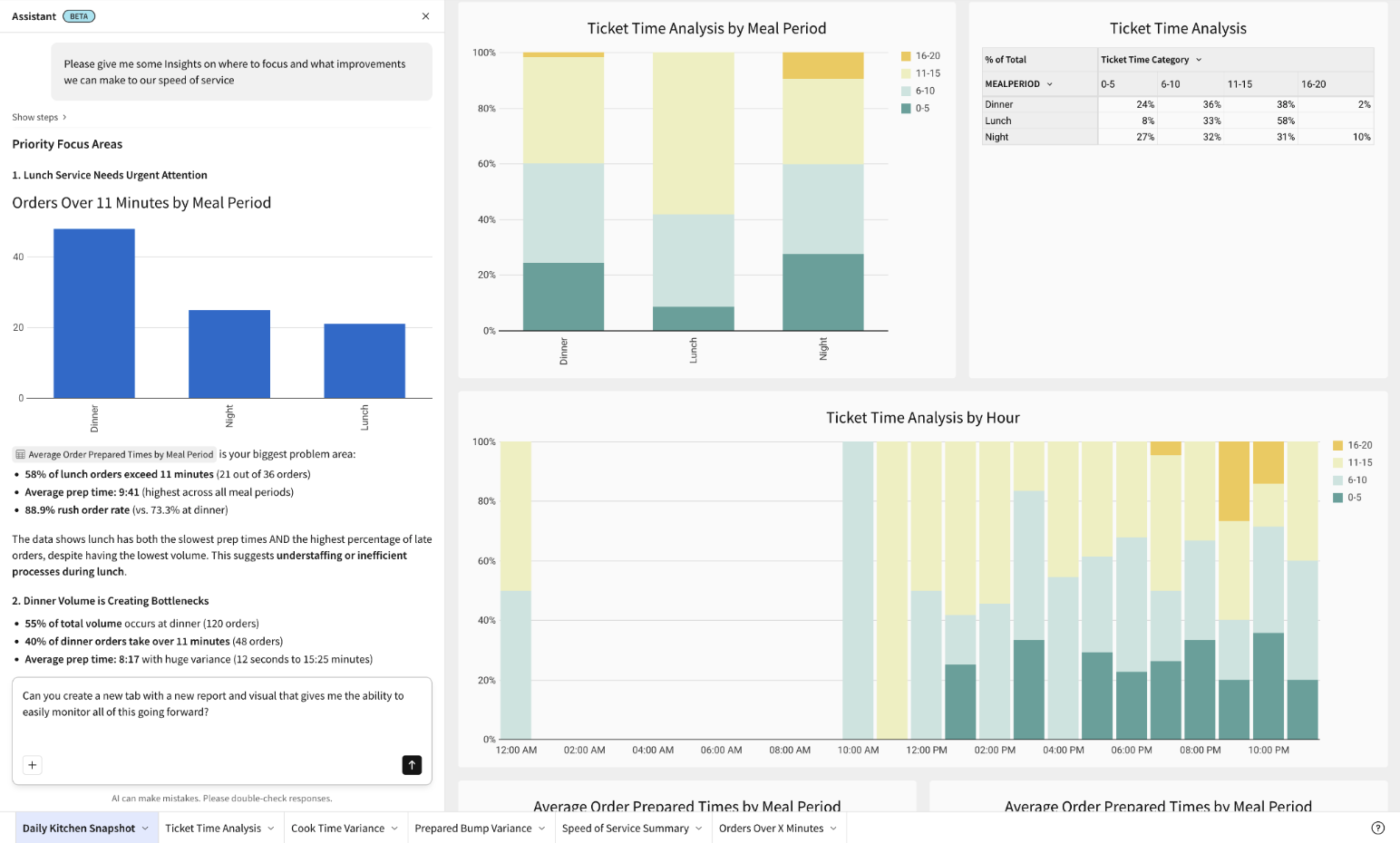
- Crunchtime Kitchen & Host Data in Insights: Speed of service, ticket time analysis, cook time variance, orders over minutes, prepared bump variance, session visit details, and reservation data now flow directly into Crunchtime Insights, joining Inventory, Labor, and Ops Execution data for one connected view of performance. For more advanced features, including scheduled reporting, deeper filtering, and custom reporting, contact customer success to learn more about our Insights subscription.
.webp?width=1800&height=1260&name=Crunchtime%20Kitchen%20(Press).webp)
Read the press release or visit the connected ops page for the full rundown of what's now connected.
Compliance made easy through automation
-
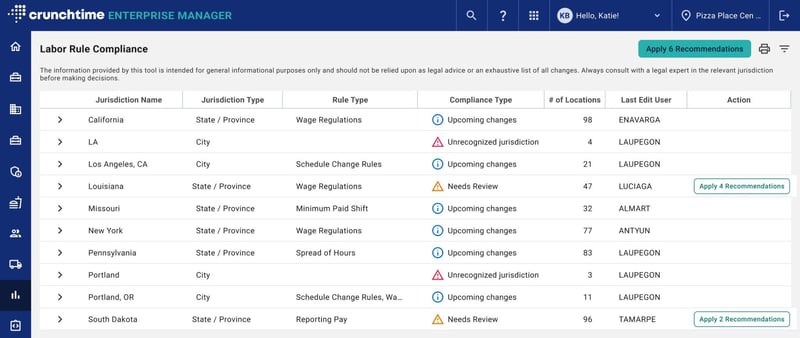
Automated Labor Rules: Instantly apply the latest labor law updates across every location and jurisdiction in just a few clicks, directly from the Crunchtime Labor Compliance Report, so you stay compliant without the manual, jurisdiction-by-jurisdiction busywork.
- AI Forecasting – Local Events: Add the local events that actually drive demand in your markets so that AI Forecasting can reflect each location's real business instead of a generalized pattern. The more local context you add, the more tailored your forecast gets over time.

Learn more about these features and how to access them here.
Answers on demand
-
Insights Assistant (previously known as "AI Analyst"): Ask everyday business questions in plain language, like "show me top stores by labor overspend last week," and get the answer as well as recommendations on where to improve, helping GMs and corporate teams make smarter decisions.
- Submission Quality for Ops Execution: See submission quality alongside completion in Insights, not just whether a task got done, but whether it was done well. Gain visibility into food safety and temperature compliance, task pass rates versus completion rates, and audit and inspection trends over time, so a location that's technically compliant but operationally weak doesn't look the same as one actually performing well.

Find more information about these features here.
Cleaner paperwork, seamless data sync
-
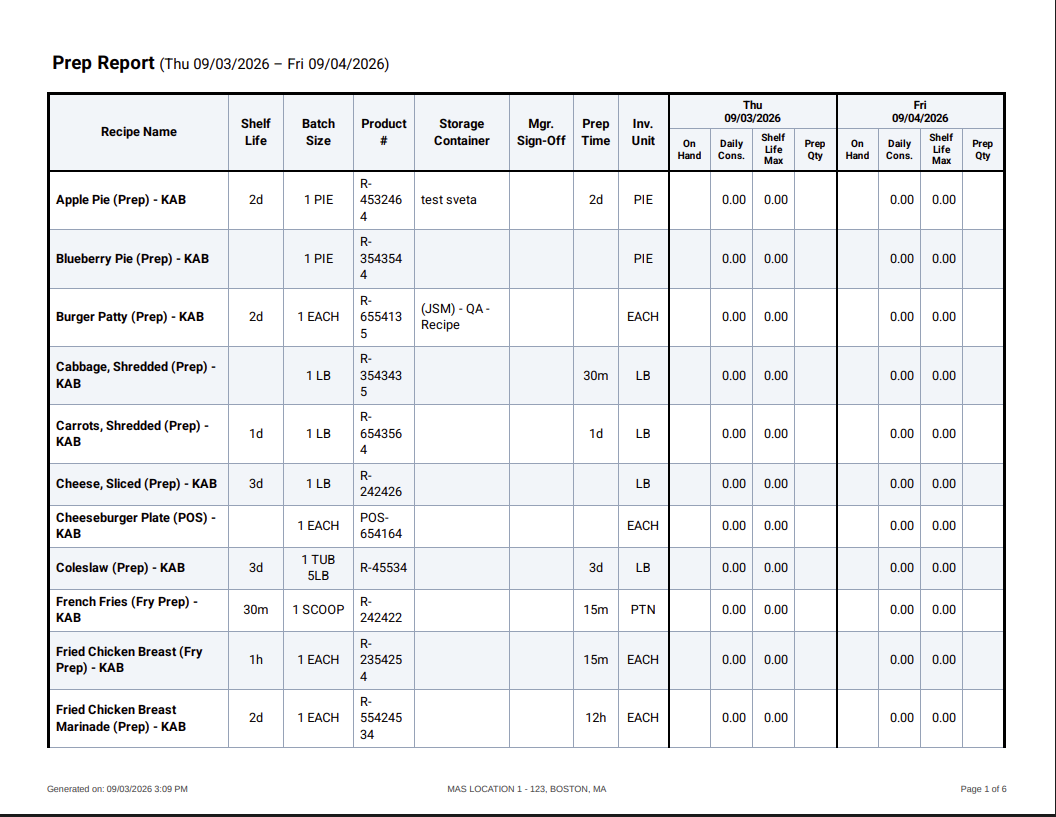
Improved Print Layout for Prep Reports: Prep Reports and Single-Day Prep Reports now print with larger, clearer formatting, so data no longer gets cut off and kitchen teams don't have to manually reformat before printing.
-
New Integration with Nutritics: Keep recipe and allergen data accurate across systems by automatically syncing updates from Crunchtime to Nutritics, eliminating duplicate data entry and manual rekeying.
-
New Export Modes with Secure FTP: Automate data exports directly from Crunchtime using Secure FTP, eliminating the need for the Crunchtime Data Pump (CDP).
-
New API Endpoints: Easily download Purchase Order and PBI transaction attachments via API.

Learn more about these features here.
Easier ways to manage your team
-
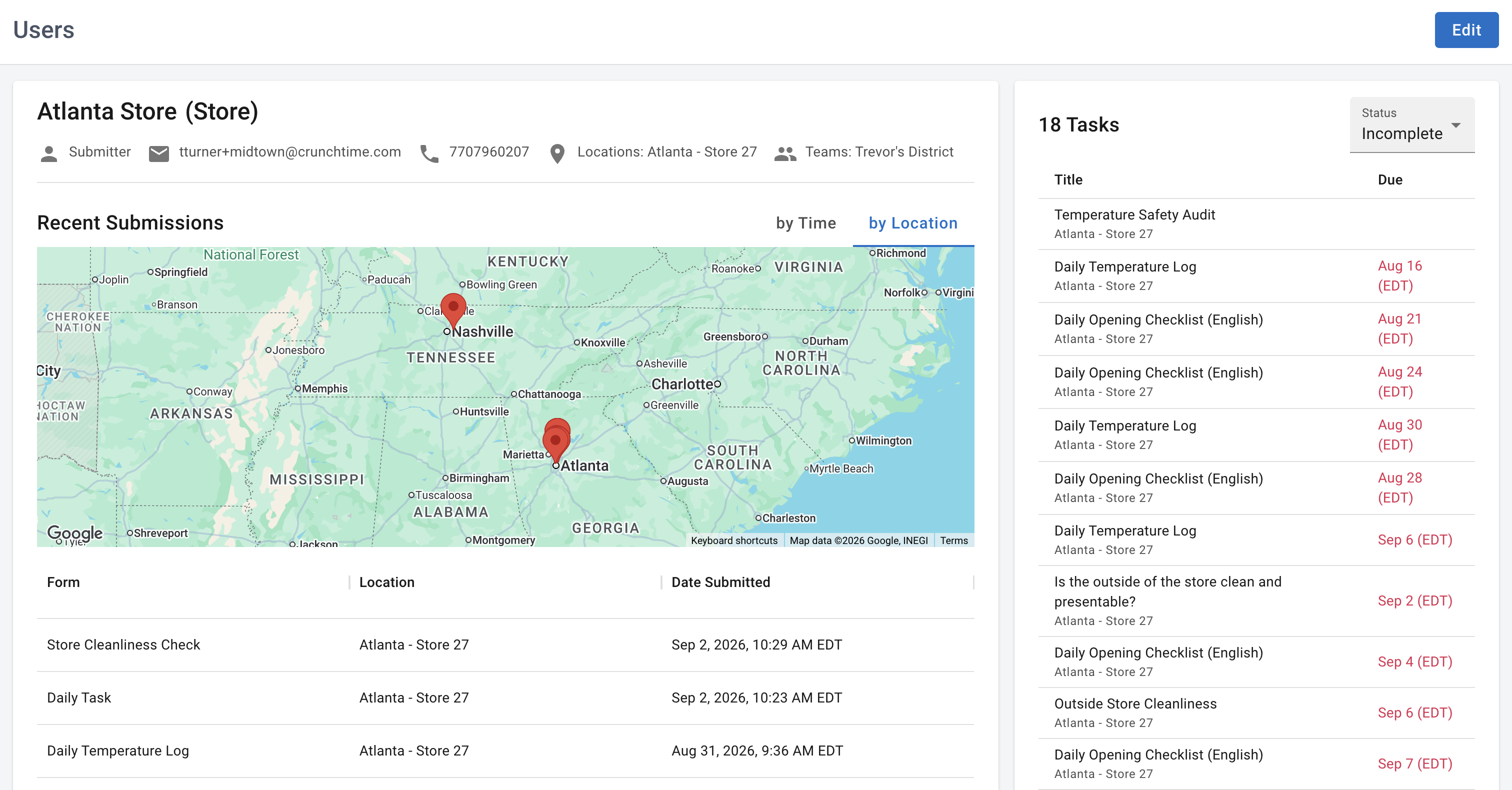
Redesigned User Details Page: See at a glance which teams a user belongs to, where they've submitted work, and their individual submissions and associated tasks, all from one page.
- Calendar Attributes: Calendar attributes are now available on the Attributes page, so you can create, edit, and delete them alongside your other attribute types instead of managing them separately.

Learn more about these features here.
To learn more about the Crunchtime Suite, fill out this form.
Share this post
Related
Two Keys to Lowering Restaurant Food Waste