Speaking with over 1,000 operators at this year's National Restaurant Association Show left us feeling energized and inspired.
Our vision of empowering you to operate every location like your best location has never felt more relevant. At the show, we heard three key themes:
- The importance of operating your brand from top to bottom around data has become a requirement
- Operators want to unleash the power of AI in a practical way, both above-store and in-store
- Achieving the balance between profitability and guest experience requires a new set of interconnected capabilities
These themes confirmed that the challenges you are facing are exactly the ones we’ve been building solutions for.
This month, we are focused on removing the friction from your daily operations and giving you deeper control over your data. From automating backend technical tasks to putting smarter tools directly into the hands of your managers, our latest updates are designed to help your teams work faster, more efficiently, and more securely across all your locations.
Here is a look at what is new across the Crunchtime suite
Inventory: Tighter Security and Richer Data
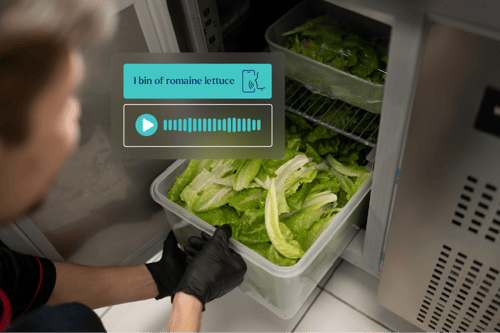
- Voice-Based Inventory: Managers can count inventory 3-4x faster with AI-powered speech-to-text by speaking directly into the app rather than stopping to manage a screen. Here's how it works.
- New Self-Service API Tokens: Administrators can now create, configure, and revoke API tokens directly in Enterprise Manager—no Support tickets required. Learn more about this new and improved process in the Developer Hub.
- Enhancements to the Inventory Service APIs: To improve the usefulness of your data, we added additional data fields to the Physical Inventory Standards API and the Inventory Adjustments APIs. Learn more about the changes in the Developer Hub.
Labor: Demand-Driven Schedules and Streamlined Compliance
- Staffing Template Assistant: Staffing Level Templates are the blueprint for a perfect, volume-aligned shift. This new step-by-step assistant removes the friction of setting them up, replacing manual guesswork with a guided workflow that cross-checks your labor templates against real revenue data for peak efficiency. Here’s a walkthrough of how the Assistant works.
- School Calendars for Minors: Easily input holiday and vacation dates by integrating local school calendars directly into your schedule. This unlocks maximum shift flexibility during non-school days, ensuring your operations always remain fully compliant with minor labor laws. Here’s a walkthrough of how to use this feature.
- Pre-Shift Attestation: By enabling pre-shift attestation, managers can create customized survey-style questionnaires for employees to complete at the start of their shift. This unlocks the ability to assign positive, negative, or neutral values to responses. *Only available with Teamworx Time Clock
Learn more about these features and how to access them here.
Kitchen & Host: Friction-Free Software Upgrades
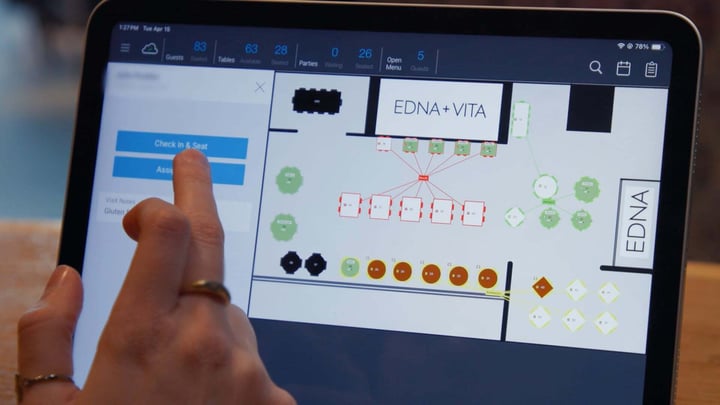
- Self-Service Licensing and Deployment: Upgrading Kitchen and Host software is now quicker and more straightforward than ever. The redesigned installer automates version sequencing and license key retrieval, eliminating the manual steps and back-and-forth that slowed teams down. Managers can now upgrade without requiring a support call or operational disruption, and access new features as soon as they ship.
- Introducing the Crunchtime Kitchen & Host Ideas Portal: Crunchtime is excited to introduce the Ideas Portal for Kitchen and Host customers! Submit enhancement requests, track their progress, and get a peek at our product roadmap here.
Ops Execution: Instant Accountability and On-the-Job Training
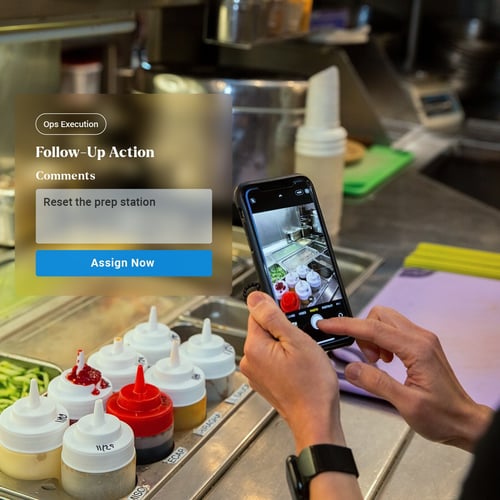
- Follow-Up Actions: Address issues instantly by adding follow-up actions directly to any task, form, or photo. Each follow-up action links directly back to the original issue for total accountability, helping to close the loop on every problem and create a culture of continuous improvement at every location. Learn how to use follow-up actions.
- Just-in-Time Training: Guide employees through complex tasks in real time by embedding instructional videos, GIFs, or reference images directly into operational forms. Just-in-time training ensures complex tasks and projects, like limited-time rollouts, can be executed correctly and precisely the first time. Add training to a form.
Insights: Deep Visibility and Operations Scorecard
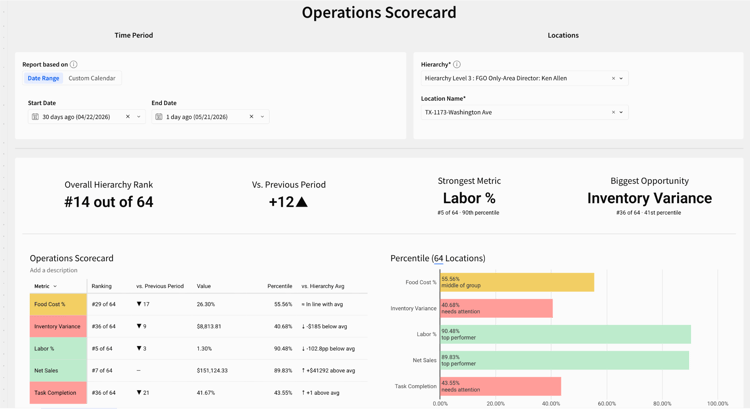
- Operations Scorecard: The Operations Scorecard Template gives store managers a clear view of how their location stacks up across key metrics, including consumption, inventory variance, labor, net sales, and task completion, so they can quickly identify where to improve. Here’s a walkthrough of this new template.
- Ops Execution Task Auditing: A new specialized report lets you set custom time and distance thresholds to instantly flag suspicious task completions, like those done far from the store or outside expected windows. Featuring dynamic tables and a visual leaderboard, you can easily surface exactly which locations need attention.
- Long-Term Menu Performance: A new report and dataset aggregates high-volume data over large date ranges, allowing teams to effortlessly track revenue, profit, theoretical costs, and selling prices by category or product. This makes it easy to compare product lifecycles and evaluate historical trends across massive timeframes without hitting performance bottlenecks.
Find more information about these features here.
We’re building AI for the entire operations management lifecycle. See what we just released in our Live Launch Event if you’re interested in exploring these new AI features.
To learn more about the Crunchtime Suite, fill out this form. Current Crunchtime customers can reach out directly to Customer Success.

.png?length=720&name=202601-CT-renaming-socialpost@2x%20(1).png)